Open Checkout, scan the products, press PAY (F10), take the money and press Complete sale. The receipt prints and the drawer opens for cash.
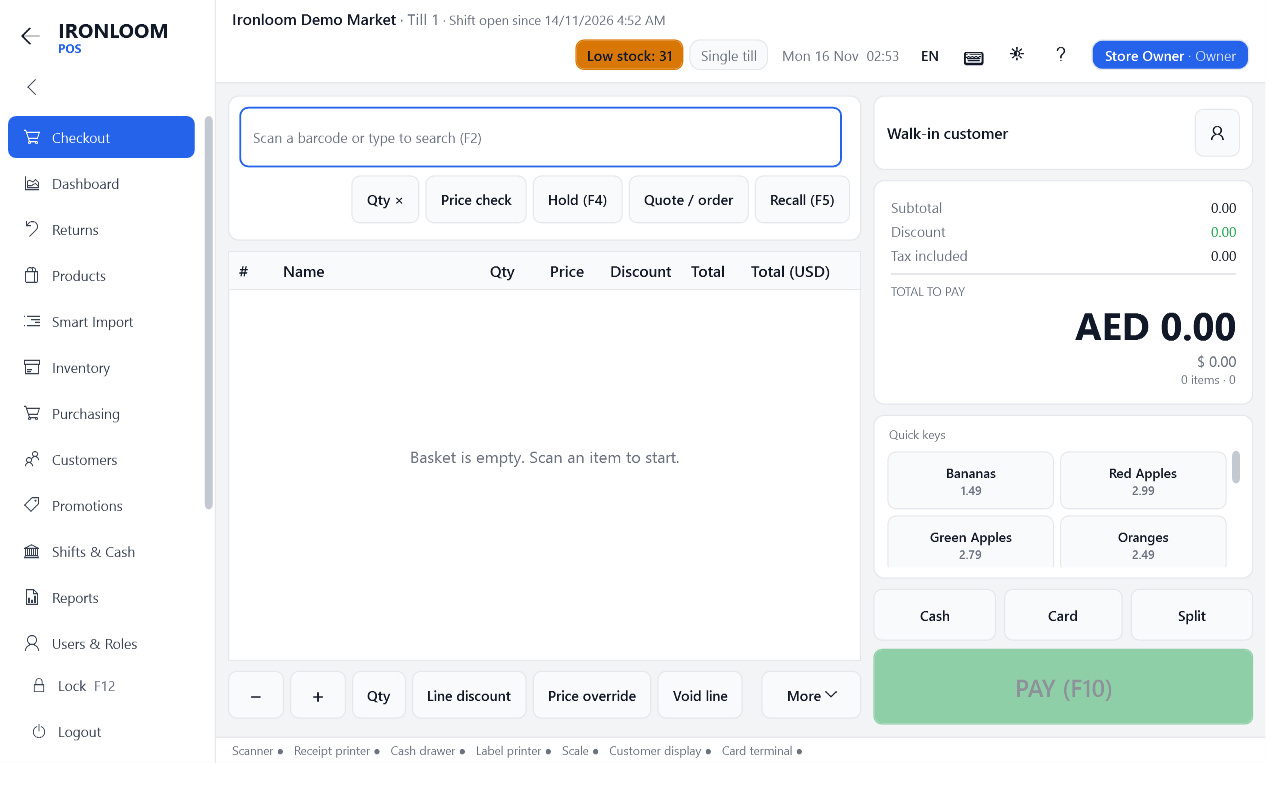
- Open Checkout in the menu. If no shift is open yet, the till asks for the cash in the drawer first: see How do I open a shift?.
- Scan each product. It appears as a line in the basket with its price. No barcode? See How do I add a product to the sale?.
- Check the total at the right, under TOTAL TO PAY.
- Press PAY (F10). For a simple sale you can press Cash or Card directly.
- Take the payment: see How do I take a cash payment and give change? or How do I take a card payment?.
- Press Complete sale. The receipt prints, the drawer opens when cash was paid, and a new empty basket is ready.
- A wrong line? Select it and press Void line: see How do I remove a product from the sale, or cancel the whole sale?.
- The customer has to fetch something? Park the sale with Hold (F4): see How do I put a sale on hold and bring it back?.
- The sale is saved while you work. If the program or the PC stops, the basket comes back: see The program or the PC stopped in the middle of a sale. Is the sale lost?.