Features
Everything a supermarket till has to do
From the first scan of the morning to the Z report at night, with the stock room and the accounts in between.
Checkout
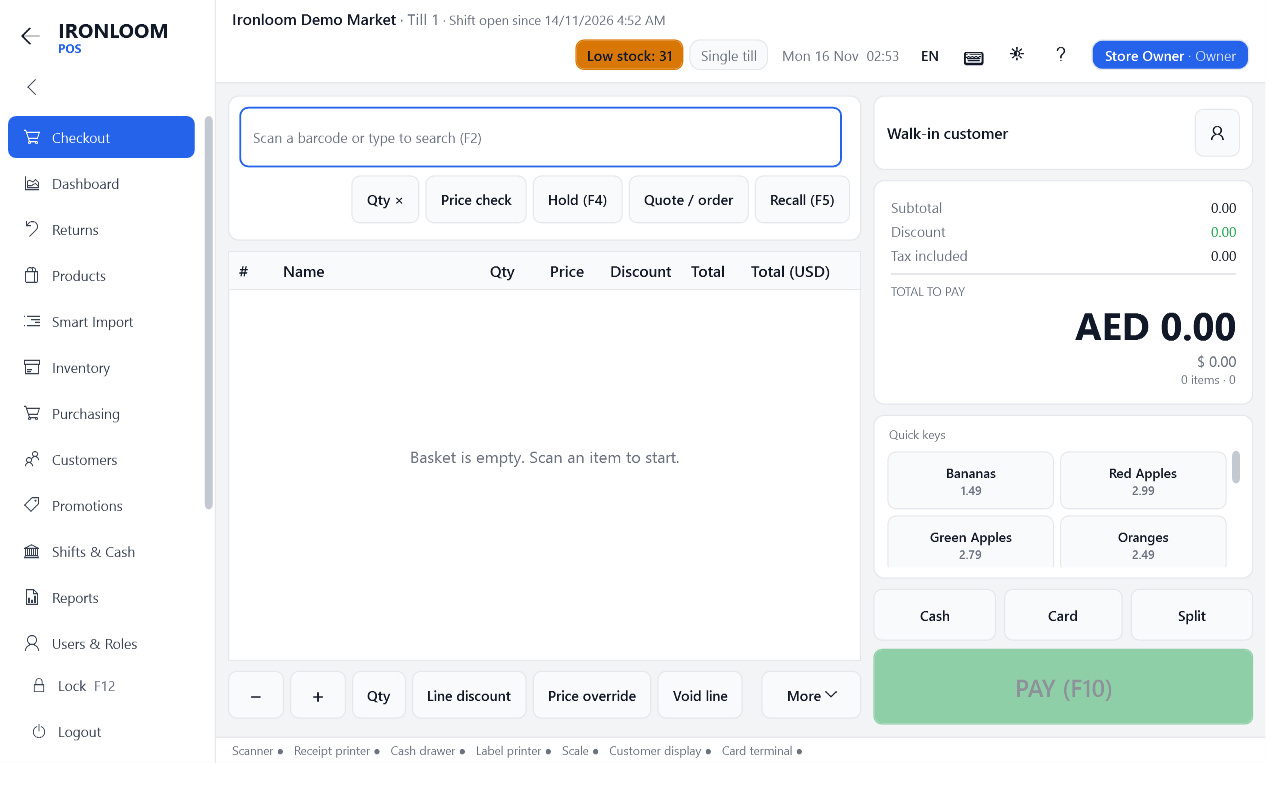
- Scan with a USB, serial or Bluetooth scanner, or a webcam. Several scanners can work on one till.
- Search by name, quick keys for loose items, PLU codes and weight or price labels from your scale.
- Hold a sale and recall it, multiply quantities, check a price without selling.
- Line and basket discounts with limits per role. A manager approves anything above the limit on the spot.
- Age checks, customer accounts, coupons and loyalty points at the till.
Payments and receipts
- Cash in two currencies with change, card terminal, gift card, voucher, customer account, store credit, wallet and cheque.
- Split one sale across several payment methods.
- Receipts with your logo and a QR code. Email a receipt when the customer asks.
- Returns and exchanges by receipt number or QR code. Refund to cash, card, store credit or gift card.

Products and stock
- Several barcodes per product, pack sizes, departments, categories and brands.
- Price levels, scheduled price changes and bulk price changes.
- Warehouses, transfers, stock takes by scanning, batches and expiry dates.
- Reorder suggestions when stock runs low, and shelf labels on your label printer.
- Import and export with CSV or Excel.

Purchasing, customers and promotions
- Suppliers, purchase orders, goods received, supplier invoices and what you still owe.
- Customer credit accounts with statements, loyalty tiers, gift cards and vouchers.
- Percent and fixed discounts, buy X get Y, mix and match, quantity breaks, member prices and coupons.
- Promotions run on the days and hours you set, in the priority you choose.

Shifts, reports and control
- Open a shift with a float, record cash in and out, close with a blind count.
- Sales by day, hour, cashier, till, department, product, payment method and customer.
- Tax, discounts, voids and returns reports. Export to CSV, Excel or PDF.
- Six ready roles and about 80 separate permissions. Every sensitive action is written to an audit log that shows if a record was changed.
- Lock mode keeps the till full screen and on top, with a PIN to leave.

Hardware
Devices
Ironloom POS speaks the standard languages of shop hardware, so most devices work without special drivers. Every device also has a built-in simulator, so you can try the whole program before you buy any hardware.
Barcode scanners
USB scanners, serial and Bluetooth scanners, and webcams. Scanner keystrokes never land in the wrong text box.
Receipt printers
ESC/POS printers on USB, network or serial, in 58 mm and 80 mm, with logo, QR code and automatic cut.
Cash drawers
Opened through the receipt printer or a serial port. Every opening is logged.
Scales
CAS and Toledo protocols and generic serial scales, plus EAN-13 weight and price labels.
Customer displays
Two-line pole displays or a second monitor.
Label printers
ZPL and TSPL label printers, or any printer with a Windows driver.
Not sure about your model? Ask us before you buy, or test it during the free trial.
Languages and screen


English, Arabic and French, with a light and a dark theme. Each cashier sees large buttons made for touch screens.
Try it in your store for 14 days
Free, on a master PC and one till. No card needed. Your data stays when you buy a licence.